Microsoft Teams
Launch XpertEye sessions directly in Teams
Section titled “Launch XpertEye sessions directly in Teams”With this integration, you can start or schedule XpertEye calls from a Teams group, saving time and simplifying access to remote support tools.
How it works:
- Install the XpertEye plugin: Begin by installing the XpertEye plugin in your Microsoft Teams environment.
- Start or schedule a call: From within a Teams group, select the XpertEye option to either start an instant call or schedule one for later.
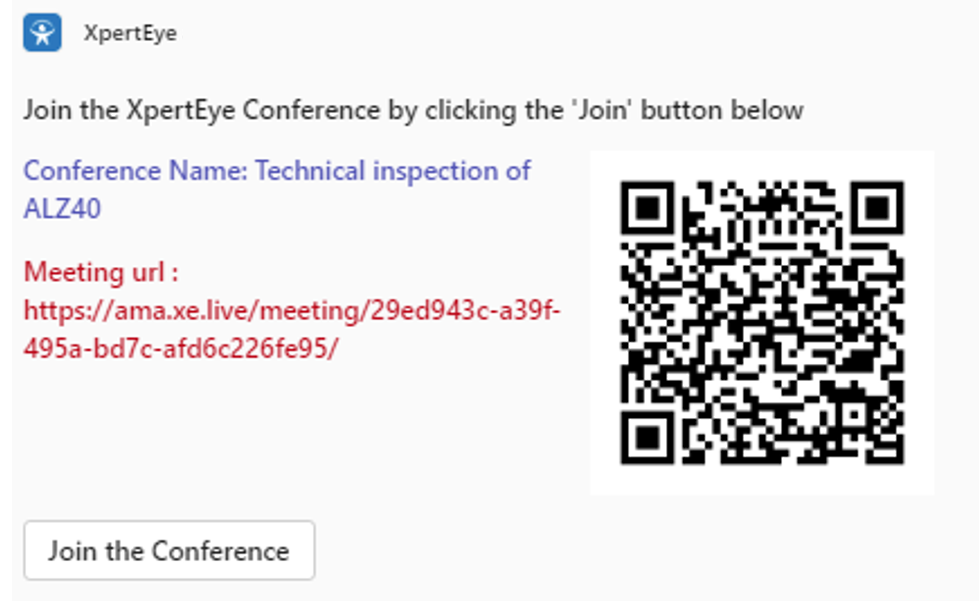
- Receive notifications: Once the call is scheduled or started, participants in the group will receive real-time notifications with a link to join the XpertEye session.
- Join the session: Participants can click on the notification to instantly access the XpertEye conference within the Teams environment.
This integration ensures your team can easily access XpertEye without leaving the Teams interface.